Hotjar vs. Clarity vs. Mouseflow: Which Should You Choose?
Hotjar vs Microsoft Clarity vs Mouseflow: Compare pricing, free-plan limits, heatmaps, recordings, and conversion tools.

Microsoft Clarity is the strongest free starting point; Mouseflow suits teams wanting deeper conversion diagnostics, while Hotjar, now Contentsquare, combines behavior analytics with feedback. All three offer heatmaps and session recordings, so the choice turns on price, recording limits, and the extra analysis tools you need. (clarity.microsoft.com)
At a glance
| Option | Best for | Starting price (paid plan) | Free plan | Heatmaps + recordings | Source |
|---|---|---|---|---|---|
| Hotjar (now Contentsquare) | Broader experience insights | $49/mo | Yes | Yes | contentsquare.com |
| Microsoft Clarity | Free behavior analytics | No paid plan | Yes | Yes | clarity.microsoft.com |
| Mouseflow | Conversion and friction analysis | Not confirmed, see source | Yes | Yes | mouseflow.com |
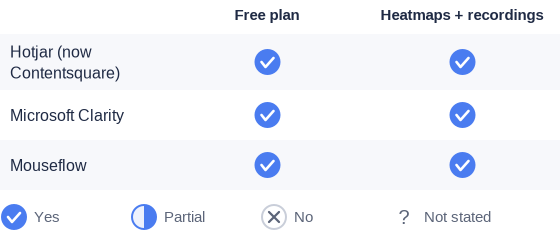
From the sourced table above, checked November 2026.
Hotjar: best when you want broader experience insights
Hotjar is now part of Contentsquare: new users sign up for Contentsquare, which carries forward Hotjar’s heatmaps and recordings and adds tools such as funnels, error monitoring, and AI summaries. Its free plan includes heatmaps, funnels, and session replays, but it captures only 5% of sessions for replay, up to 10,000 a month. That makes its free offer more than a basic heatmap tool, but replay coverage is worth checking if you need to inspect a large share of visits. (contentsquare.com)
Microsoft Clarity: best for a no-cost starting point
Clarity combines session recordings, click and scroll heatmaps, segmentation, and signals such as rage clicks and dead clicks. Microsoft says the tool is free, with no traffic limits and unlimited heatmaps, websites, and team members. That is a strong fit for people who want to explore visitor behavior without budgeting for a subscription; it does not offer a paid plan to move up to. (clarity.microsoft.com)
Mouseflow: best for conversion and friction analysis
Mouseflow pairs replays and click, scroll, and geographic heatmaps with friction detection and conversion funnels. Its paid plans add features such as feedback surveys, attention and movement heatmaps, form analytics, and longer data history, depending on the tier. The trade-off is that its free plan has a session cap, and the lowest paid plan may be more than a low-traffic site needs. (mouseflow.com)
Comparing the three
How do Hotjar, Microsoft Clarity, and Mouseflow compare?
All three help you see where people click, how far they scroll, and what happens during recorded visits. Clarity stands out for cost and scale: Microsoft lists it as free without traffic limits. Mouseflow’s differentiator is its conversion-focused toolkit, especially its friction signals and the additional funnel, form, and heatmap features available on paid tiers. Hotjar, now offered through Contentsquare, is the broader experience-analysis option, with replays and heatmaps alongside funnels, surveys, error monitoring, and AI tools. (clarity.microsoft.com)
A practical difference is how much of your traffic is available to inspect. Contentsquare’s free plan includes session replay, but its published feature comparison says it captures 5% of sessions, up to 10,000 monthly; Mouseflow’s free plan sets a 500-session monthly allowance. Clarity says it has no traffic limits. Those limits can matter more than a feature checklist if you plan to review recordings regularly or have substantial site traffic. (contentsquare.com)
Which tool is best for heatmaps and session recordings?
Choose Clarity if you want heatmaps and recordings without a subscription or stated traffic cap; choose Mouseflow if you want those tools tied closely to conversion and friction analysis. Hotjar through Contentsquare is another capable fit if you also want its broader features, but its free replay capture is limited to a portion of sessions. Since all three provide both core tools, the best option depends on how much data you need and whether you want more than visual behavior records. (clarity.microsoft.com)
Mouseflow has a useful edge when the question is not only what visitors clicked, but where they hit friction or abandon a flow: its plans include friction detection, and higher tiers add more funnels and form analytics. Contentsquare also provides funnels and errors in its free offering, while Clarity presents a lighter-cost route to watching sessions and viewing heatmaps. For simple visual inspection, start with Clarity; for structured conversion troubleshooting, compare Mouseflow’s plan limits with Contentsquare’s included tools. (mouseflow.com)
Which is best for an ecommerce store?
Mouseflow is a good fit when your priority is tracing friction across product, cart, checkout, or form flows, because it combines session replays with friction detection, funnels, and higher-tier form analytics. Contentsquare is worth considering if you want those behavior tools alongside surveys, error monitoring, and broader experience analysis. Clarity suits a store that needs free recordings and heatmaps first, but it has no paid tier to add when you want a vendor’s expanded plan features. The right choice depends on which analysis you will actually use, not on the store platform. (mouseflow.com)
Heatmaps and recordings can show where customers stop, miss a control, or encounter a confusing step, but they do not tell you by themselves why someone hesitated or left. If you need customers to explain the reason directly, use surveys or feedback as a complement: Contentsquare lists basic surveys in its free plan, and Mouseflow includes surveys on higher paid tiers. Those tools add a direct-feedback method, but you may not need them if your current question is simply where users interact with the page. (contentsquare.com)
How do their pricing and free plans compare?
As of November 2026, Clarity is free and has no paid plan listed. Contentsquare’s pricing page lists a free tier and a Growth plan starting at $49 per month when billed monthly; the $39 monthly display is the lower rate shown for annual billing. Check the billing toggle and session allowance before choosing, since both paid products scale their offers around usage. (clarity.microsoft.com)
The free plans are not equivalent. Clarity says there is no traffic limit; Contentsquare’s free tier allows up to 200,000 monthly sessions but limits replay capture; Mouseflow’s Free plan includes 500 sessions per month, one website, and one month of data history. Mouseflow also offers a 14-day trial of its core features, after which you can stay on the limited free plan or pick a paid plan. (clarity.microsoft.com)
Which should you choose?
| Your situation | Best fit |
|---|---|
| You need no-cost heatmaps and recordings without a stated traffic cap | Microsoft Clarity |
| You want friction detection and conversion-flow tools | Mouseflow |
| You want heatmaps and recordings plus surveys and broader analytics | Hotjar |
| You need to test behavior analytics before paying | Mouseflow |
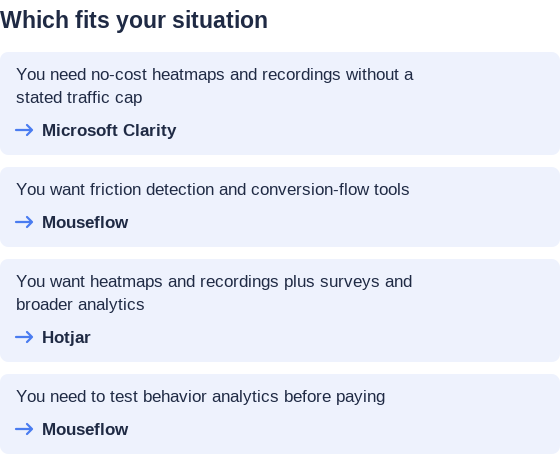
From the table above.
How this comparison was made
Prices and features come from each vendor’s published pages, checked in November 2026. The products were not tested hands-on.


